
Ask your question and get a summary of the document by referencing this page and the AI provider of your choice
Version History
- "Add Why Intlayer over alternatives section"v8.11.25/31/2026
- "Release Compiler"v7.3.111/27/2025
- "Update comparative table"v5.8.08/19/2025
- "Init history"v5.5.106/29/2025
If you have an idea for improving this documentation, please feel free to contribute by submitting a pull request on GitHub.
GitHub link to the documentationCopy doc Markdown to clipboard
Why you should consider Intlayer?
What is Intlayer?
Intlayer is an internationalization library designed specifically for JavaScript developers. It allows the declaration of your content everywhere in your code. It converts declarations of multilingual content into structured dictionaries to integrate easily in your code. Using TypeScript, Intlayer makes your development stronger and more efficient.
Why Intlayer over alternatives?
Compared to main solutions like next-intl or i18next, Intlayer is a solution that comes with integrated optimizations such as:
Instead of loading massive JSON files into your pages, load only the necessary content. Intlayer helps reduce your bundle and page sizes by up to 50%.
Scoping your application's content facilitates maintenance for large-scale applications. You can duplicate or delete a single feature folder without the mental burden of reviewing your entire content codebase. Additionally, Intlayer is fully typed to ensure your content's accuracy.
Co-locating content reduces the context needed by Large Language Models (LLMs). Intlayer also comes with a suite of tools, such as a CLI to test for missing translations,LSP, MCP, and agent skills, to make the developer experience (DX) even smoother for AI agents.
Intlayer offers a bench of additional features that other i18n solutions do not have, such as Markdown support, fetching external content, file content loading, live content update, visual editor and more.
Use automation to translate in your CI/CD pipeline using the LLM of your choice at the cost of your AI provider. Intlayer also offers a compiler to automate content extraction, as well as a web platform to help translate in the background.
Connecting massive JSON files to components can lead to performance and reactivity issues. Intlayer optimizes your content loading at build time.
More than just an i18n solution, Intlayer provides an self-hosted visual editor and a full CMS to help you manage your multilingual content in real-time, making collaboration with translators, copywriters, and other team members seamless. Content can be stored locally and/or remotely.
If you use different frameworks for different part of your application (e.g., React, React-native, Vue, Angular, Svelte, etc.), Intlayer provides a way to use a common synatax and implementation across all main frontend frameworks. You will also be able to share your content declaration across your design-system, apps, backend etc.
Why was Intlayer created?
Intlayer was created to solve a common problem that affects all common i18n libraries such as next-intl, react-i18next, react-intl, next-i18next, react-intl, and vue-i18n.
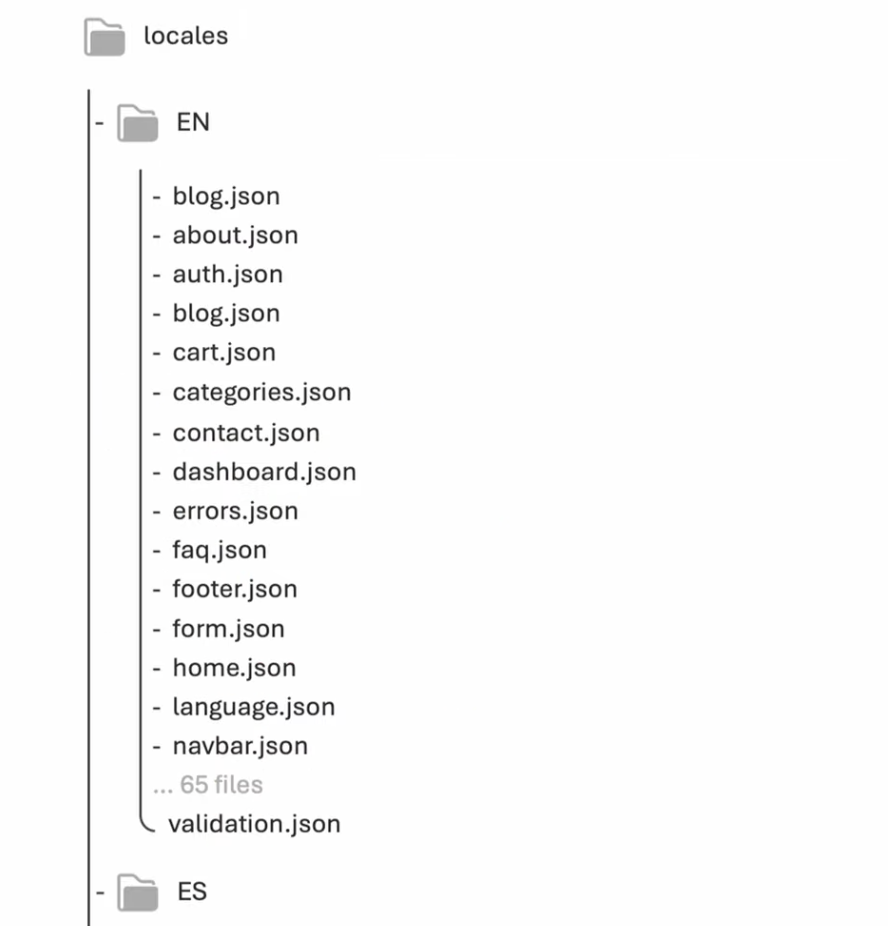
All these solutions adopt a centralized approach to list and manage your content. For example:
Copy the code to the clipboard
Or here using namespaces:
Copy the code to the clipboard
This type of architecture slows down the development process and makes the codebase more complex to maintain for several reasons:
For any new component created, you should:
- Create the new resource/namespace in the
localesfolder - Remember to import the new namespace in your page
- Translate your content (often done manually by copy/paste from AI providers)
- Create the new resource/namespace in the
For any change made on your components, you should:
- Search for the related resource/namespace (far from the component)
- Translate your content
- Ensure your content is up to date for any locale
- Verify your namespace doesn't include unused keys/values
- Ensure the structure of your JSON files is the same for all locales
On professional projects using these solutions, localization platforms are often used to help manage the translation of your content. However, this can quickly become costly for large projects.
To solve this problem, Intlayer adopts an approach that scopes your content per-component and keeps your content close to your component, as we often do with CSS (styled-components), types, documentation (storybook), or unit tests (jest).
Copy the code to the clipboard
Copy the code to the clipboard
import { t, type Dictionary } from "intlayer";

const componentExampleContent = {
  key: "component-example",
  content: {
    myTranslatedContent: t({
      en: "Hello World",
      es: "Hola Mundo",
      fr: "Bonjour le monde",
    }),
  },
} satisfies Dictionary;

export default componentExampleContent;Copy the code to the clipboard
import { useIntlayer } from "react-intlayer";

export const ComponentExample = () => {
  const { myTranslatedContent } = useIntlayer("component-example");

  return <span>{myTranslatedContent}</span>;
};
This approach allows you to:
Increase the speed of development
.content.{{ts|mjs|cjs|json}}files can be created using a VSCode extension- Autocompletion AI tools in your IDE (such as GitHub Copilot) can help you declare your content, reducing copy/paste
Clean your codebase
- Reduce the complexity
- Increase the maintainability
Duplicate your components and their related content more easily (Example: login/register components, etc.)
- By limiting the risk of impacting other components' content
- By copy/pasting your content from one application to another without external dependencies
Avoid polluting your codebase with unused keys/values for unused components
- If you don't use a component, Intlayer will not import its related content
- If you delete a component, you'll more easily remember to remove its related content as it will be present in the same folder
Reduce reasoning cost for AI agents to declare your multilingual content
- The AI agent won't have to scan your entire codebase to know where to implement your content
- Translations can easily be done by autocompletion AI tools in your IDE (such as GitHub Copilot)
Optimize loading performance
- If a component is lazy-loaded, its related content will be loaded at the same time
Additional features of Intlayer
Open the table in a modal to view all data content clearly
| Feature | Description |
|---|---|
 | Cross-Frameworks Support Intlayer is compatible with all major frameworks and libraries, including Next.js, React, Vite, Vue.js, Nuxt, Preact, Express, and more. |
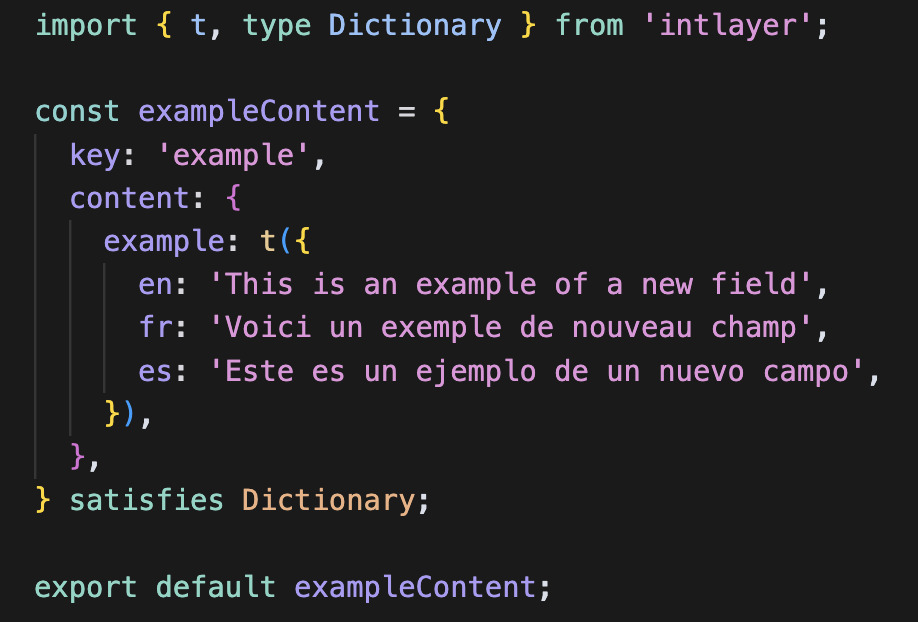 | JavaScript-Powered Content Management Harness the flexibility of JavaScript to define and manage your content efficiently. - Content declaration |
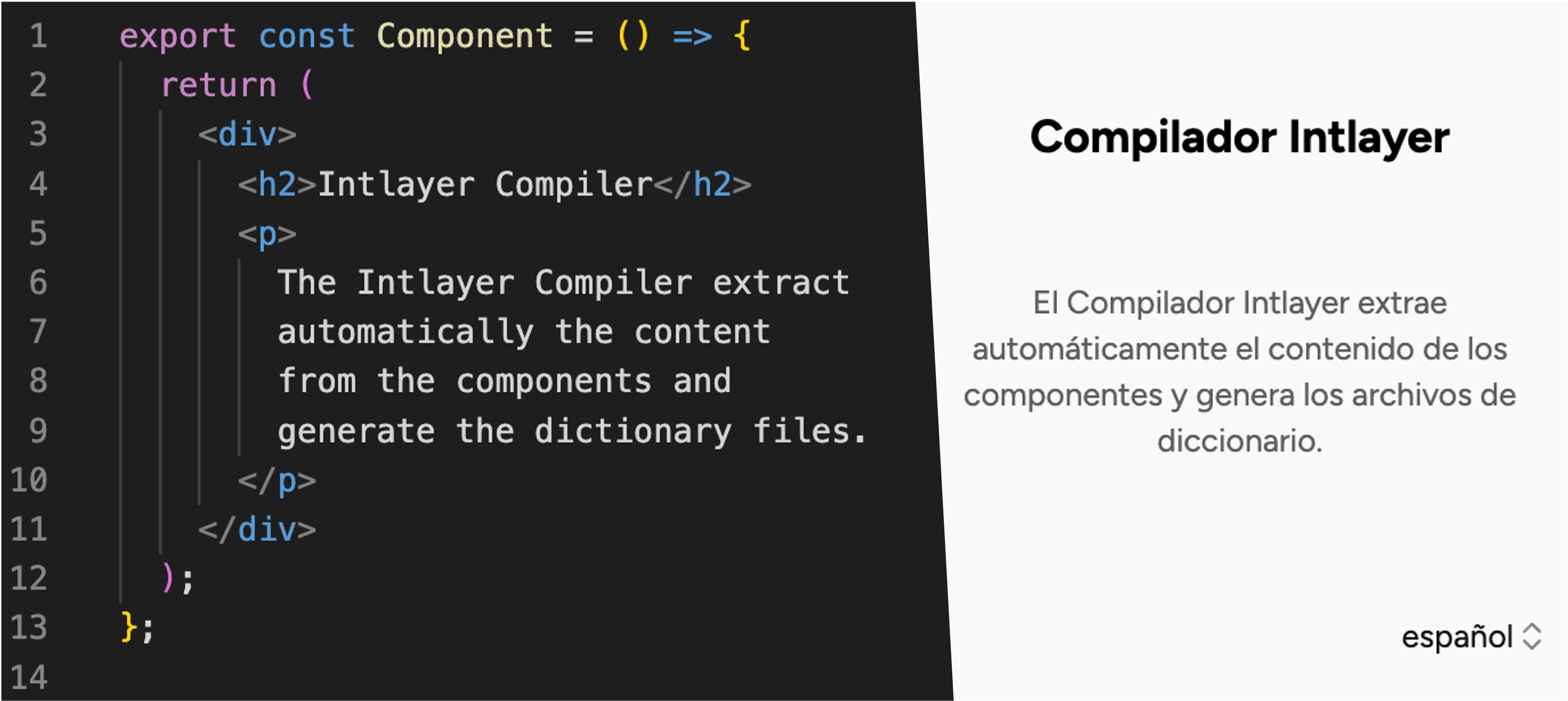 | Compiler The Intlayer Compiler extract automatically the content from the components and generate the dictionary files. - Compiler |
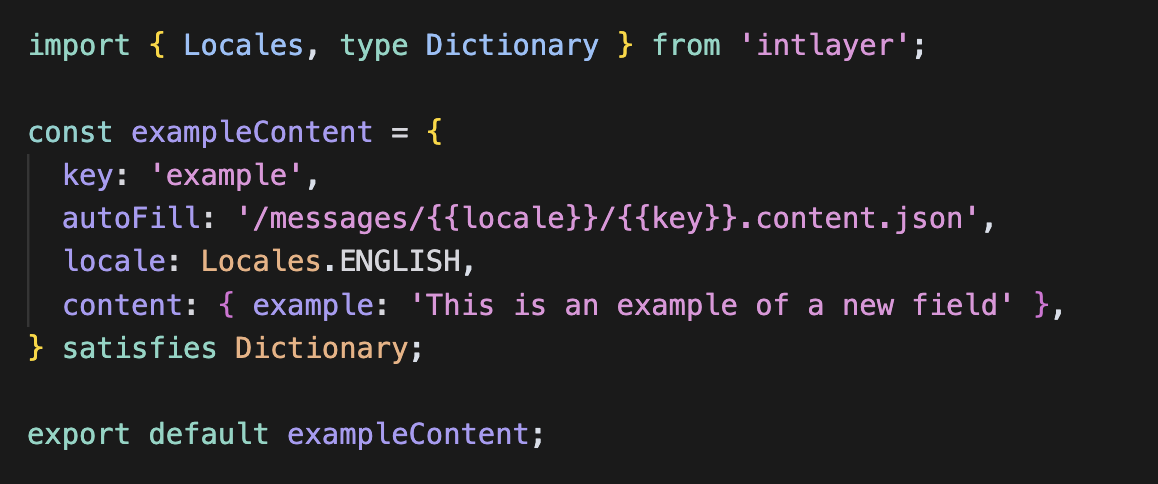 | Per-Locale Content Declaration File Speed up your development by declaring your content once, before auto generation. - Per-Locale Content Declaration File |
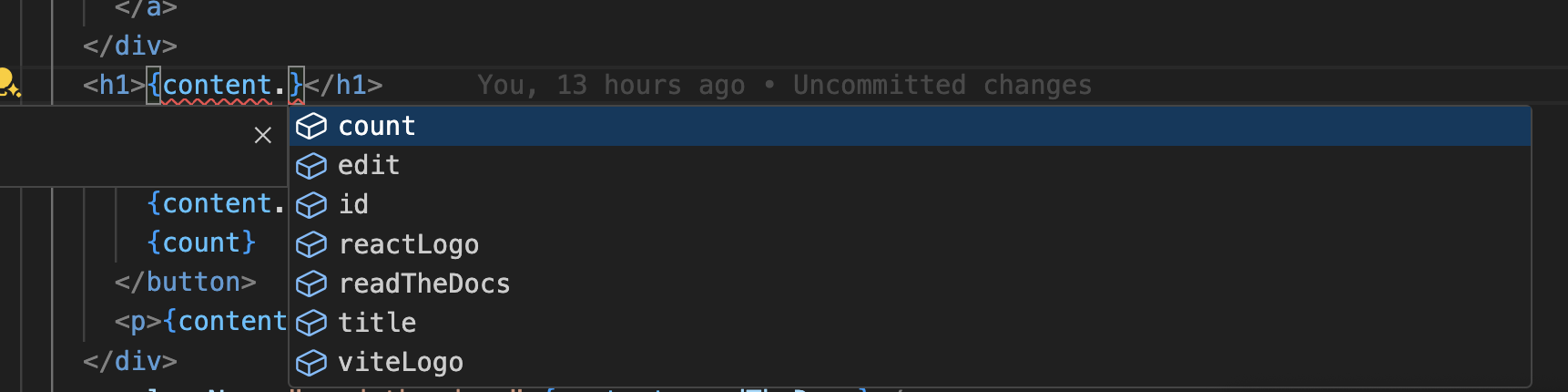 | Type-Safe Environment Leverage TypeScript to ensure your content definitions and code are error-free, while also benefiting from IDE autocompletion. - TypeScript configuration |
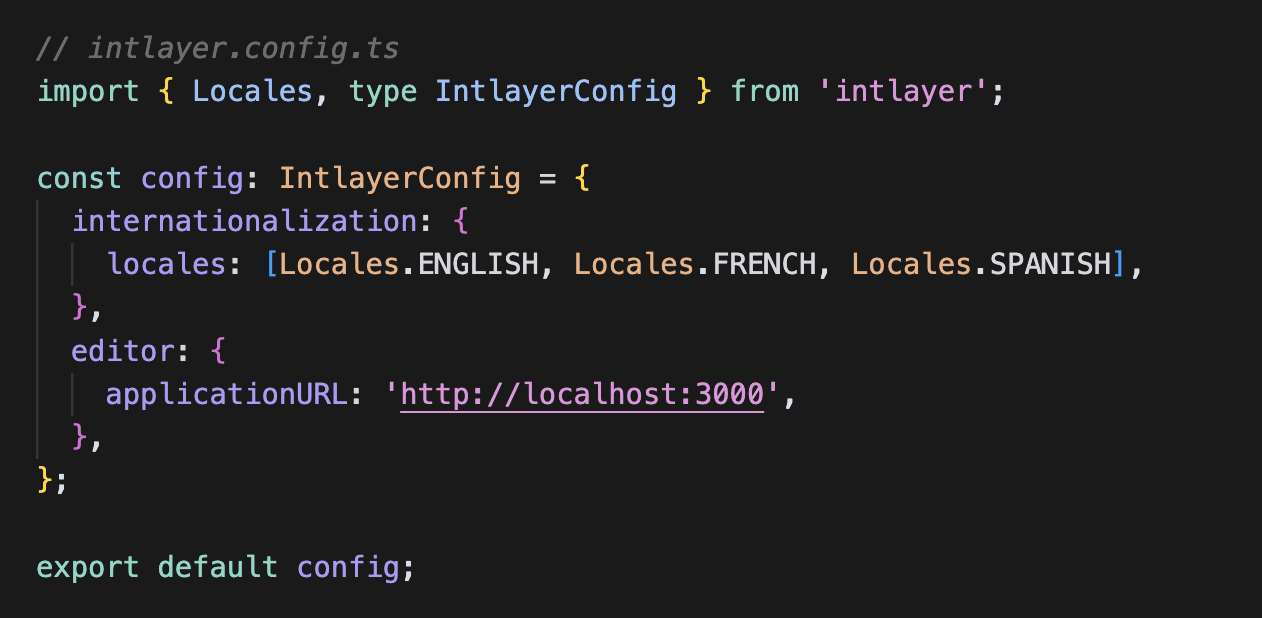 | Simplified Setup Get up and running quickly with minimal configuration. Adjust settings for internationalization, routing, AI, build, and content handling with ease. - Explore Next.js integration |
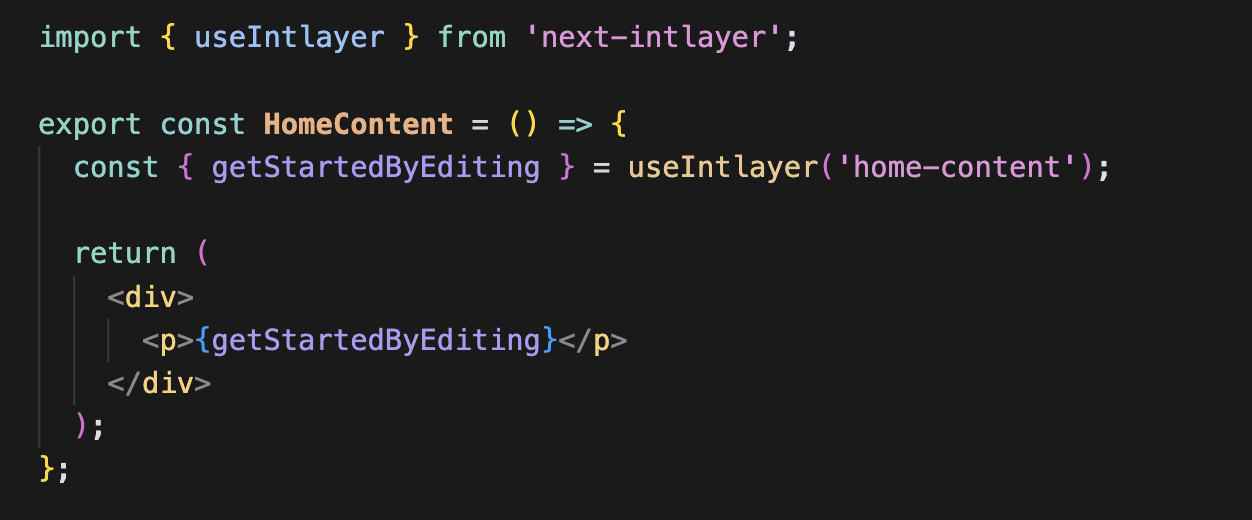 | Simplified Content Retrieval No need to call your t function for each piece of content. Retrieve all your content directly using a single hook.- React integration |
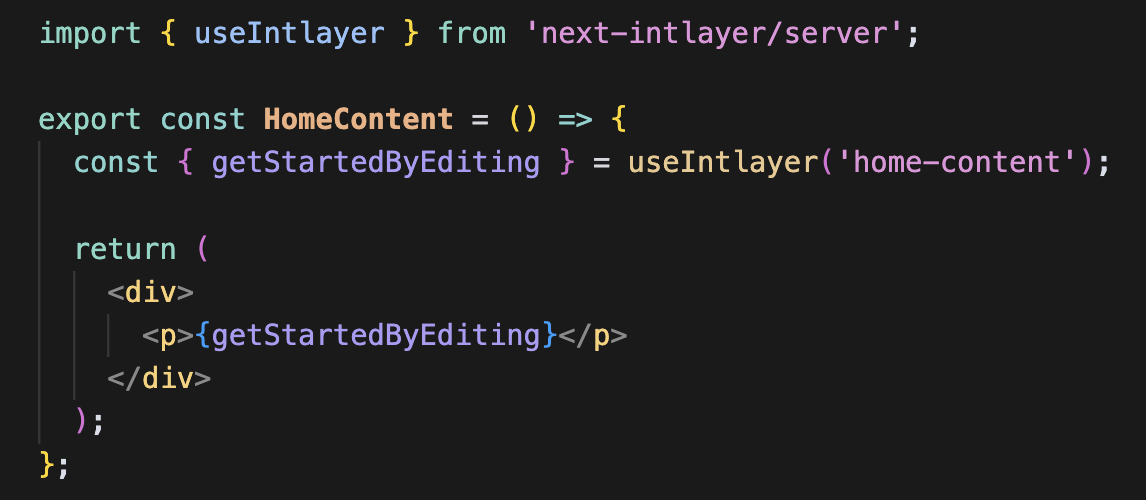 | Consistent Server Component Implementation Perfectly suited for Next.js server components, use the same implementation for both client and server components, no need to pass your t function across each server component. - Server Components |
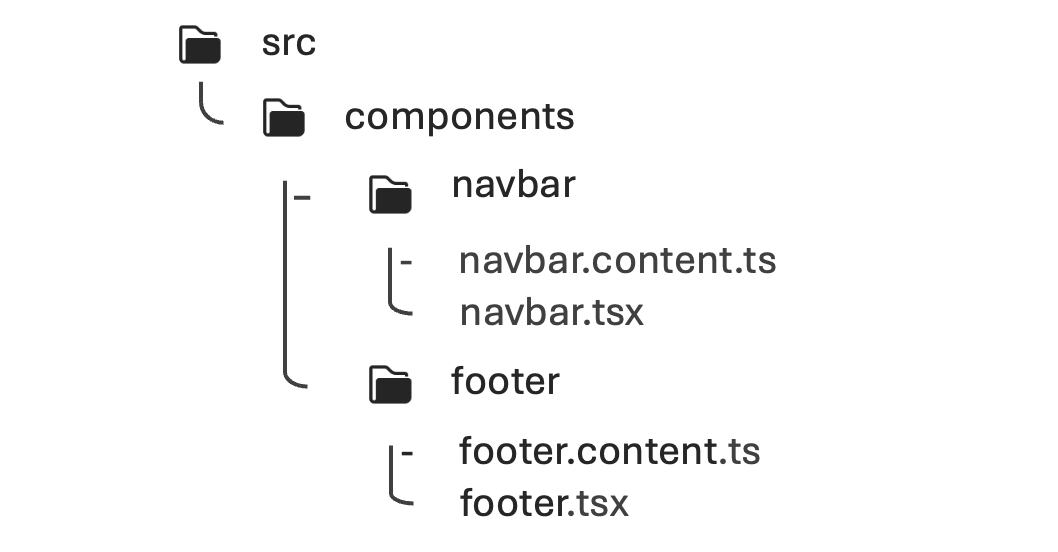 | Organized Codebase Keep your codebase more organized: 1 component = 1 dictionary in the same folder. Translations close to their respective components enhance maintainability and clarity. - How Intlayer works |
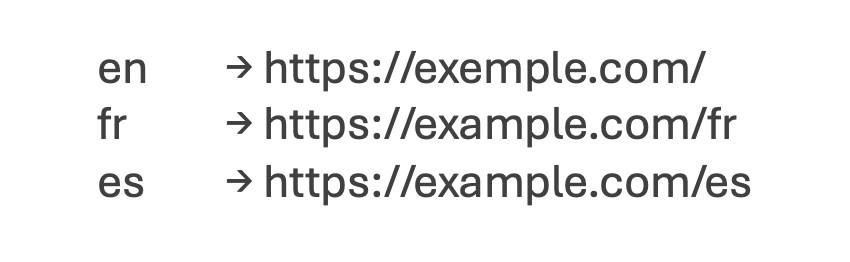 | Enhanced Routing Full support of app routing, adapting seamlessly to complex application structures, for Next.js, React, Vite, Vue.js, etc. - Explore Next.js integration |
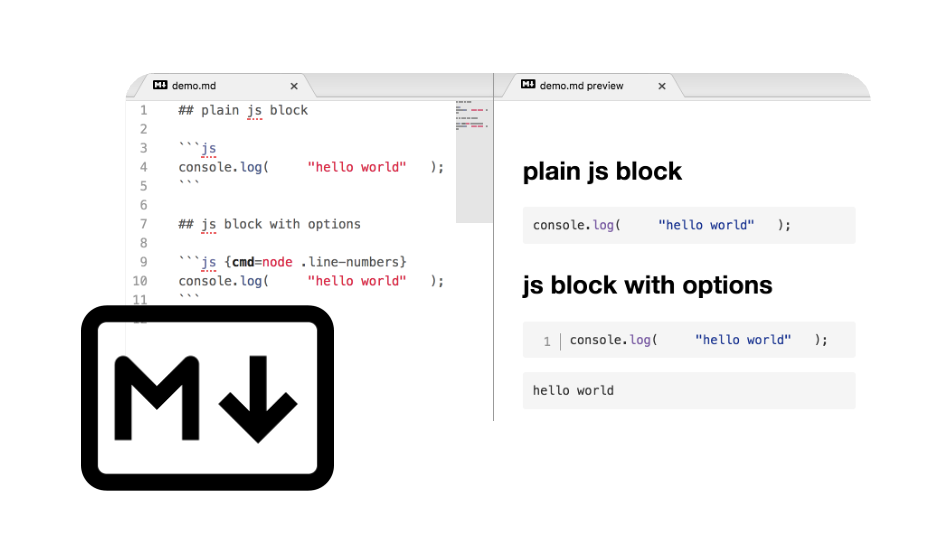 | Markdown Support Import and interpret locale files and remote Markdown for multilingual content like privacy policies, documentation, etc. Interpret and make Markdown metadata accessible in your code. - Content files |
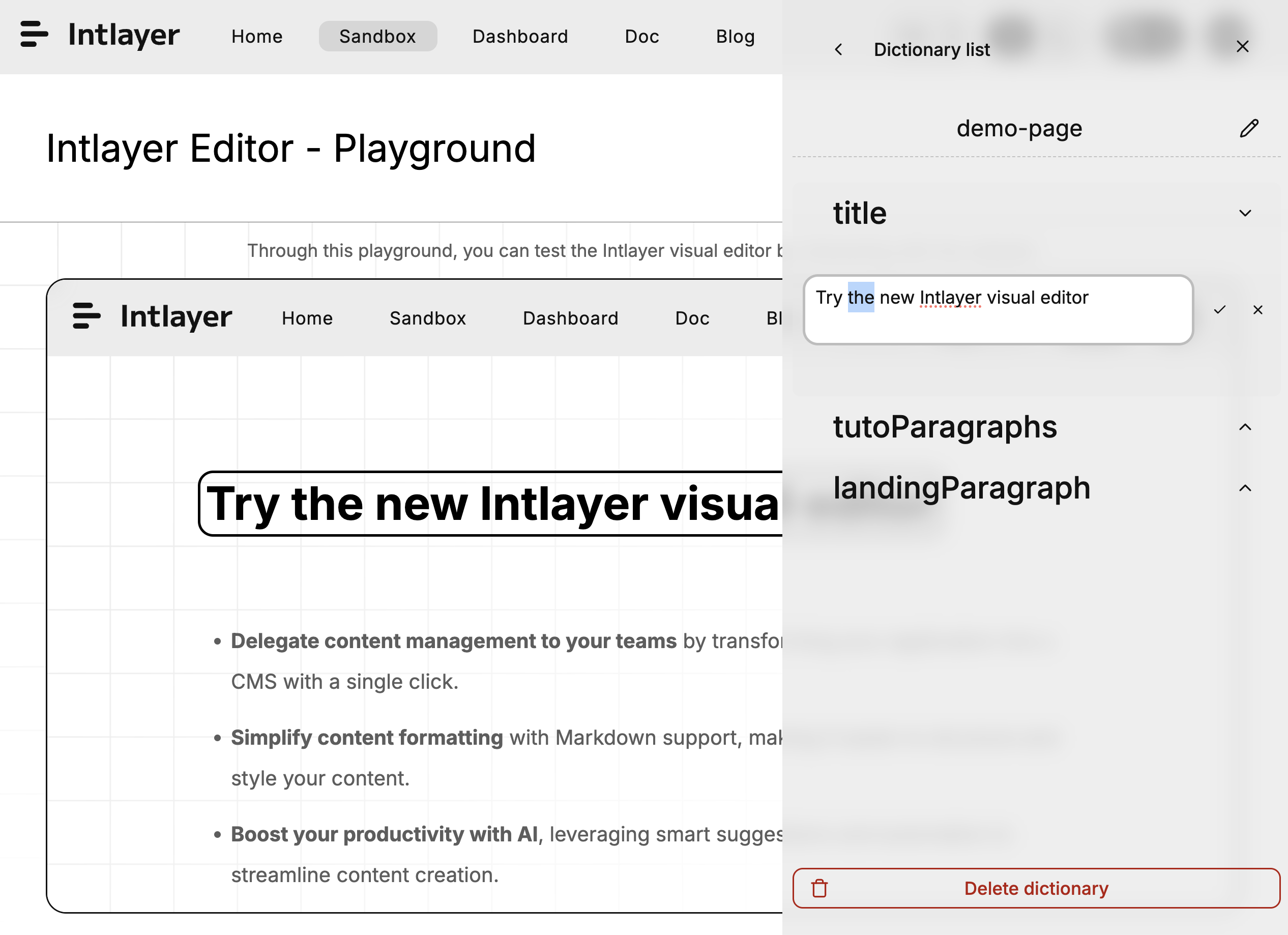 | Free Visual Editor & CMS A free visual editor and CMS are available for content writers, removing the need for a localization platform. Keep your content synchronized using Git, or externalize it totally or partially with the CMS. - Intlayer Editor - Intlayer CMS |
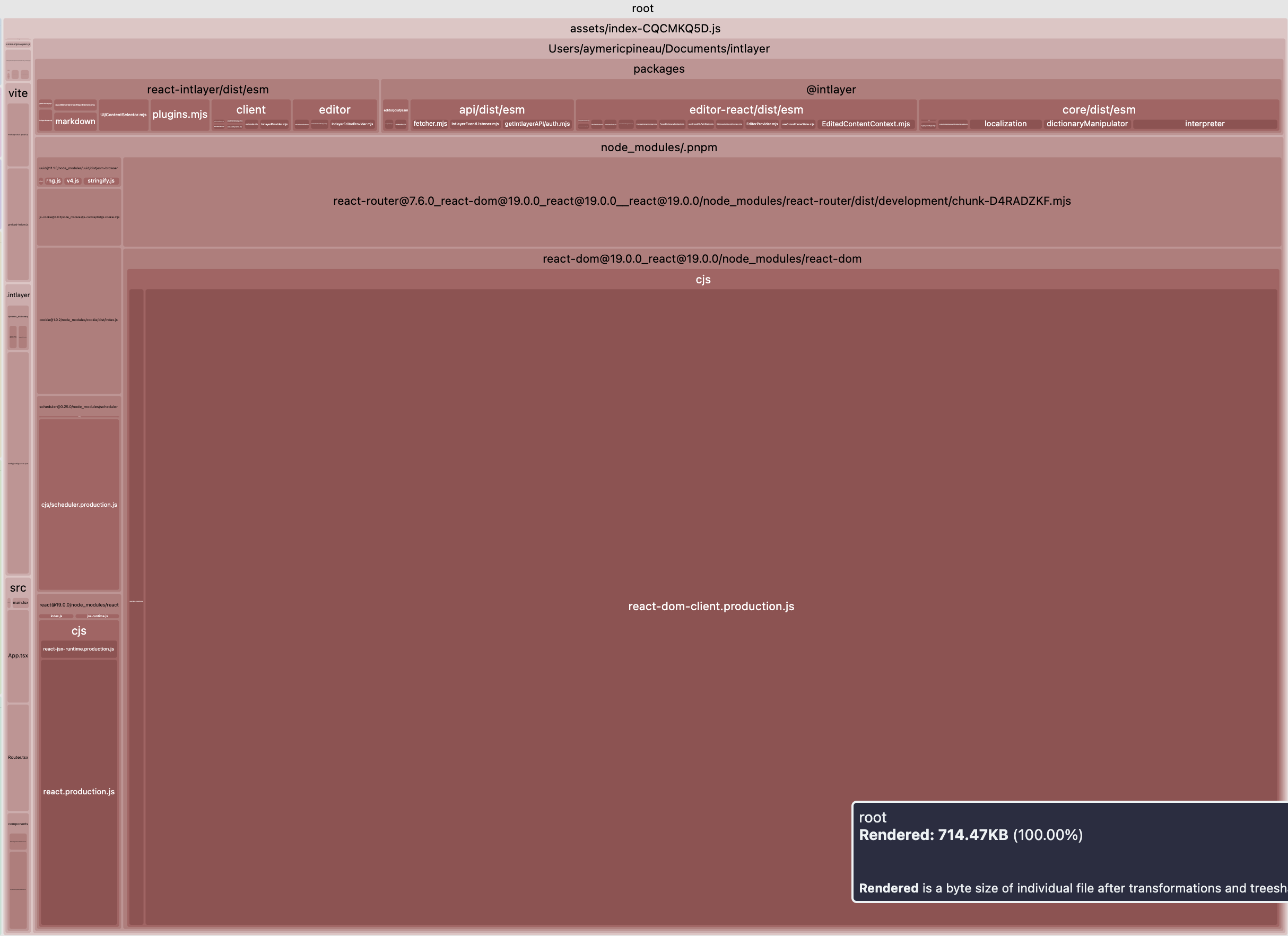 | Tree-shakable Content Tree-shakable content, reducing the size of the final bundle. Loads content per component, excluding any unused content from your bundle. Supports lazy loading to enhance app loading efficiency. - App build optimization |
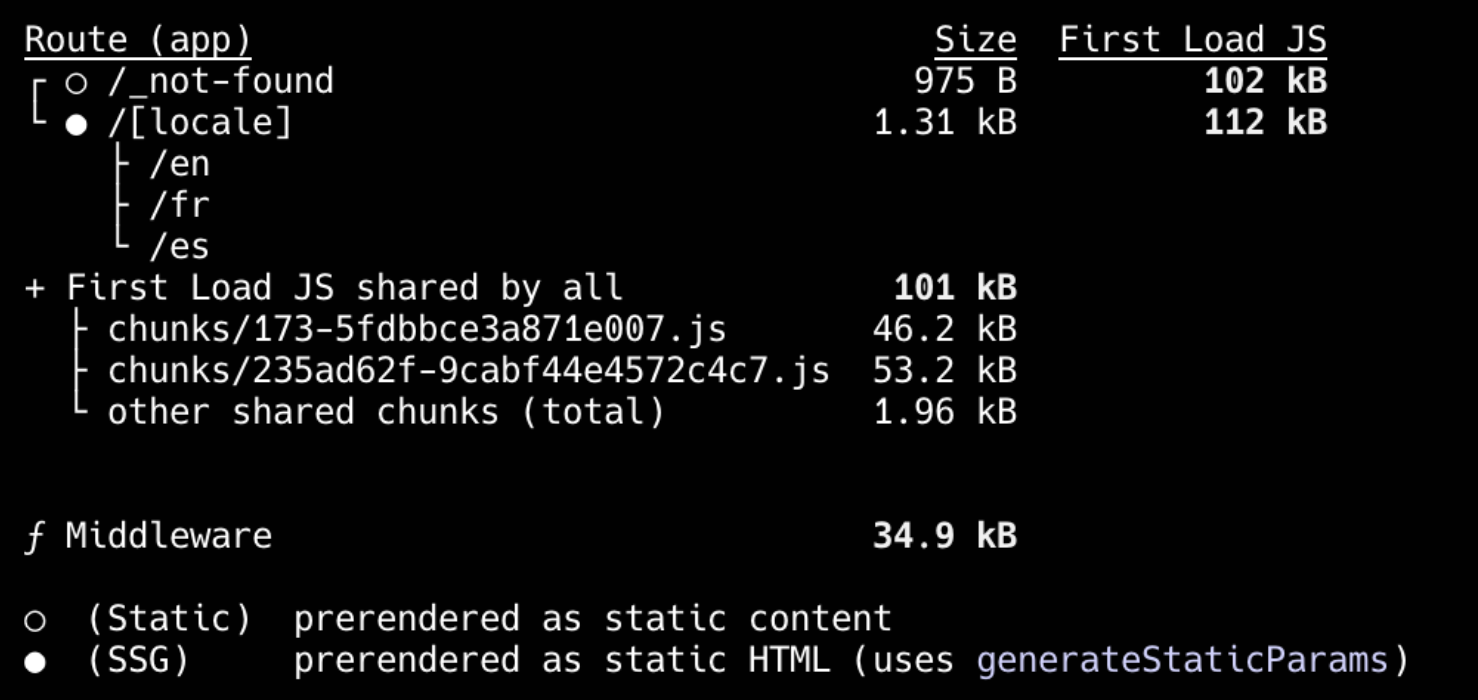 | Static Rendering Doesn't block Static Rendering. - Next.js integration |
 | AI-Powered Translation Transform your website into 231 languages with just one click using Intlayer's advanced AI-powered translation tools using your own AI provider/API key. - CI/CD integration - Intlayer CLI - Auto fill |
 | MCP Server Integration Provides an MCP (Model Context Protocol) server for IDE automation, enabling seamless content management and i18n workflows directly within your development environment. - MCP Server |
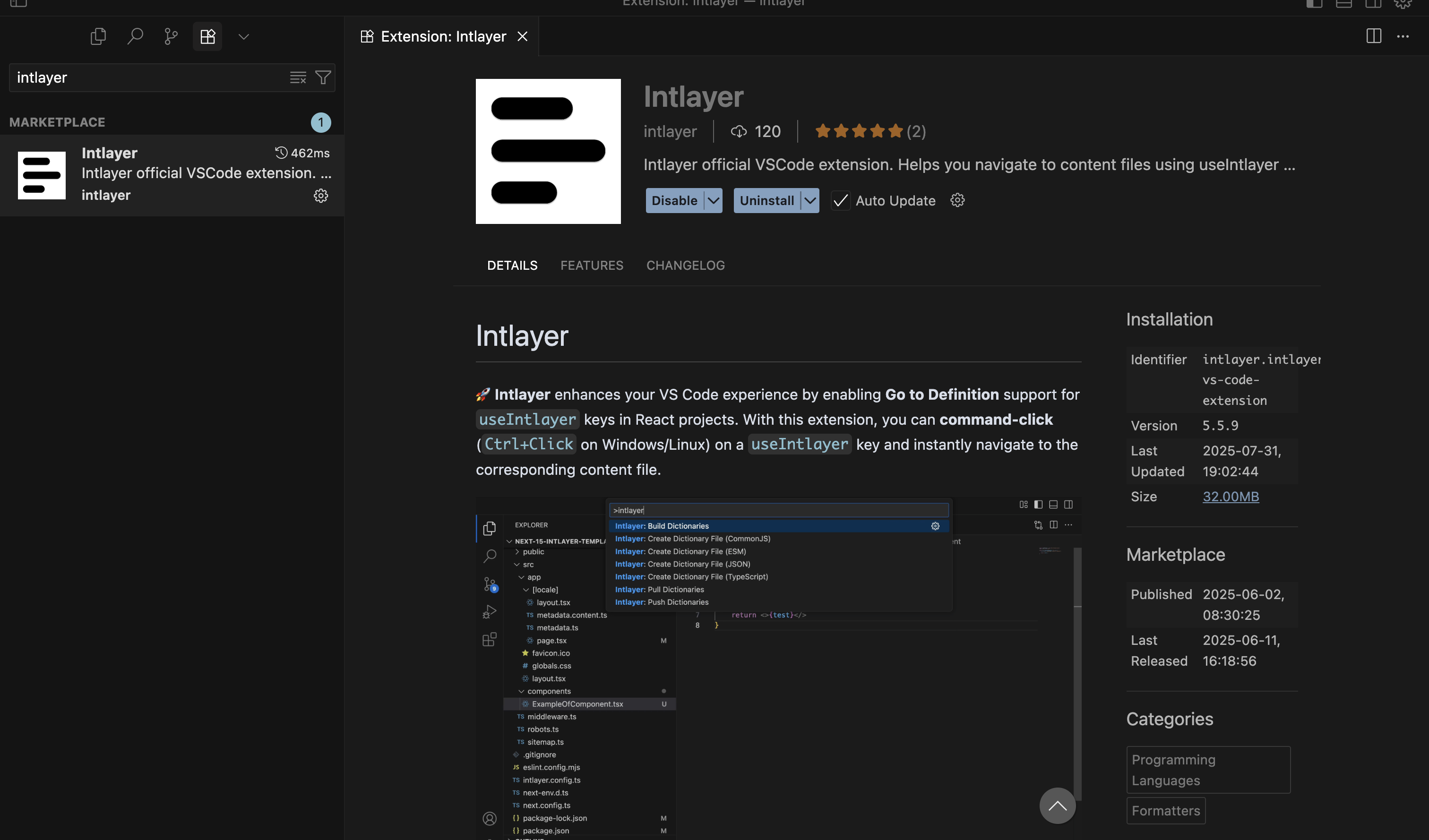 | VSCode Extension Intlayer provides a VSCode extension to help you manage your content and translations, building your dictionaries, translating your content, and more. - VSCode Extension |
 | Interoperability Allows interoperability with react-i18next, next-i18next, next-intl, and react-intl. - Intlayer and react-intl - Intlayer and next-intl - Intlayer and next-i18next |
| Testing Missing Translations (CLI/CI) | ✅ CLI: npx intlayer content test (CI-friendly audit) |
Comparison of Intlayer with other solutions
Open the table in a modal to view all data content clearly
| Feature | intlayer | react-i18next | react-intl (FormatJS) | lingui | next-intl | next-i18next | vue-i18n |
|---|---|---|---|---|---|---|---|
| Translations Near Components | ✅ Yes, content collocated with each component | ❌ No | ❌ No | ❌ No | ❌ No | ❌ No | ✅ Yes - using Single File Components (SFCs) |
| TypeScript Integration | ✅ Advanced, auto-generated strict types | ⚠️ Basic; extra config for safety | ✅ Good, but less strict | ⚠️ Typings, needs config | ✅ Good | ⚠️ Basic | ✅ Good (types available; key-safety needs setup) |
| Missing Translation Detection | ✅ TypeScript error hightlight and build-time error/warning | ⚠️ Mostly fallback strings at runtime | ⚠️ Fallback strings | ⚠️ Needs extra config | ⚠️ Runtime fallback | ⚠️ Runtime fallback | ⚠️ Runtime fallback/warnings (configurable) |
| Rich Content (JSX/Markdown/components) | ✅ Direct support | ⚠️ Limited / interpolation only | ⚠️ ICU syntax, not real JSX | ⚠️ Limited | ❌ Not designed for rich nodes | ⚠️ Limited | ⚠️ Limited (components via <i18n-t>, Markdown via plugins) |
| AI-powered Translation | ✅ Yes, supports multiple AI providers. Usable using your own API keys. Considers the context of your application and content scope | ❌ No | ❌ No | ❌ No | ❌ No | ❌ No | ❌ No |
| Visual Editor | ✅ Yes, local Visual Editor + optional CMS; can externalize codebase content; embeddable | ❌ No / available via external localization platforms | ❌ No / available via external localization platforms | ❌ No / available via external localization platforms | ❌ No / available via external localization platforms | ❌ No / available via external localization platforms | ❌ No / available via external localization platforms |
| Localized Routing | ✅ Yes, supports localized paths out of the box (works with Next.js & Vite) | ⚠️ No built-in, requires plugins (e.g. next-i18next) or custom router config | ❌ No, only message formatting, routing must be manual | ⚠️ No built-in, requires plugins or manual config | ✅ Built-in, App Router supports [locale] segment | ✅ Built-in | ✅ Built-in |
| Dynamic Route Generation | ✅ Yes | ⚠️ Plugin/ecosystem or manual setup | ❌ Not provided | ⚠️ Plugin/manual | ✅ Yes | ✅ Yes | ❌ Not provided (Nuxt i18n provides) |
| Pluralization | ✅ Enumeration-based patterns | ✅ Configurable (plugins like i18next-icu) | ✅ (ICU) | ✅ (ICU/messageformat) | ✅ Good | ✅ Good | ✅ Built-in plural rules |
| Formatting (dates, numbers, currencies) | ✅ Optimized formatters (Intl under the hood) | ⚠️ Via plugins or custom Intl usage | ✅ ICU formatters | ✅ ICU/CLI helpers | ✅ Good (Intl helpers) | ✅ Good (Intl helpers) | ✅ Built-in date/number formatters (Intl) |
| Content Format | ✅ .tsx, .ts, .js, .json, .md, .txt, (.yaml WIP) | ⚠️ .json | ✅ .json, .js | ⚠️ .po, .json | ✅ .json, .js, .ts | ⚠️ .json | ✅ .json, .js |
| ICU support | ⚠️ WIP | ⚠️ Via plugin (i18next-icu) | ✅ Yes | ✅ Yes | ✅ Yes | ⚠️ Via plugin (i18next-icu) | ⚠️ Via custom formatter/compiler |
| SEO Helpers (hreflang, sitemap) | ✅ Built-in tools: helpers for sitemap, robots.txt, metadata | ⚠️ Community plugins/manual | ❌ Not core | ❌ Not core | ✅ Good | ✅ Good | ❌ Not core (Nuxt i18n provides helpers) |
| Ecosystem / Community | ⚠️ Smaller but growing fast and reactive | ✅ Largest and mature | ✅ Large | ⚠️ Smaller | ✅ Mid-size, Next.js-focused | ✅ Mid-size, Next.js-focused | ✅ Large in Vue ecosystem |
| Server-side Rendering & Server Components | ✅ Yes, streamlined for SSR / React Server Components | ⚠️ Supported at page level but need to pass t-functions on component tree for children server components | ⚠️ Supported at page level with additional set up, but need to pass t-functions on component tree for children server components | ✅ Supported, set up needed | ⚠️ Supported at page level but need to pass t-functions on component tree for children server components | ⚠️ Supported at page level but need to pass t-functions on component tree for children server components | ✅ SSR via Nuxt/Vue SSR (no RSC) |
| Tree-shaking (load only used content) | ✅ Yes, per-component at build time via Babel/SWC plugins | ⚠️ Usually loads all (can be improved with namespaces/code-splitting) | ⚠️ Usually loads all | ❌ Not default | ⚠️ Partial | ⚠️ Partial | ⚠️ Partial (with code-splitting/manual setup) |
| Lazy loading | ✅ Yes, per-locale / per-dictionary | ✅ Yes (e.g., backends/namespaces on demand) | ✅ Yes (split locale bundles) | ✅ Yes (dynamic catalog imports) | ✅ Yes (per-route/per-locale), need mamespace management | ✅ Yes (per-route/per-locale), need mamespace management | ✅ Yes (async locale messages) |
| Purge unused content | ✅ Yes, per-dictionary at build time | ❌ No, only via manual namespace segmentation | ❌ No, all declared messages are bundled | ✅ Yes, unused keys detected & dropped at build | ❌ No, can be managed manually with namespace management | ❌ No, can be managed manually with namespace management | ❌ No, only possible via manual lazy-loading |
| Management of Large Projects | ✅ Encourages modular, suited for design-system | ⚠️ Needs good file discipline | ⚠️ Central catalogs can get large | ⚠️ May get complex | ✅ Modular with setup | ✅ Modular with setup | ✅ Modular with Vue Router/Nuxt i18n setup |
GitHub STARs
GitHub stars are a strong indicator of a project's popularity, community trust, and long-term relevance. While not a direct measure of technical quality, they reflect how many developers find the project useful, follow its progress, and are likely to adopt it. For estimating the value of a project, stars help compare traction across alternatives and provide insights into ecosystem growth.
Interoperability
intlayer can also help to manage your react-intl, react-i18next, next-intl, next-i18next, and vue-i18n namespaces.
Using intlayer, you can declare your content in the format of your favorite i18n library, and intlayer will generate your namespaces in the location of your choice (example: /messages/{{locale}}/{{namespace}}.json).